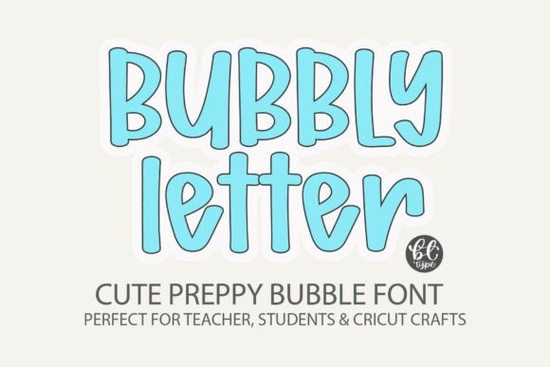
Looking for a playful, eye-catching typeface that works across school projects, digital designs, and crafting? The Bubbly Letter Font is a fun bubble-style handwritten font with a preppy, bold personality. It's designed for anyone who wants their text to feel cheerful and approachable from teachers making classroom materials to small business owners creating social media graphics.
This font works in virtually any program, includes SVG files for cutting machines, and has a rounded, bubbly shape that reads well at both large and small sizes. Below, I'll walk through who it's best for, what you can make with it, and how to get started.
What Makes a Bubble Font Like This Stand Out?
Bubble fonts are popular because they're instantly friendly. The rounded letterforms feel welcoming, which makes them a solid choice for designs aimed at kids, families, or anyone who wants a lighthearted vibe. The Bubbly Letter Font takes this further with its bold handwritten style it has personality without being hard to read.
Compared to more structured typefaces, this one feels hand-drawn. That quality makes it especially useful for projects where you want a personal, craft-like touch rather than a polished corporate look.
Who Should Use the Bubbly Letter Font?
This font fits a wide range of creative needs. Here are some of the people and projects it works well for:
- Teachers and educators Create classroom posters, name tags, worksheets, and bulletin board headers that students actually enjoy looking at. A playful font can make learning materials feel less intimidating.
- Planner and journal designers If you sell printable planners, sticker sheets, or journal covers on Etsy or similar platforms, a bubbly typeface adds charm to your layouts.
- Procreate and Canva users It works smoothly for digital lettering, social media posts, and template designs. If you create Instagram quotes or Pinterest graphics, this font gives your text a distinctive, fun look.
- Cricut and cutting machine crafters The included SVG files mean you can cut this font from vinyl, cardstock, and other materials without any conversion headaches.
- Print-on-demand sellers Bold, readable fonts like this one tend to perform well on t-shirts, tote bags, and mugs. The bubbly style appeals to a broad audience.
Does It Work With All Design Programs?
Yes. Once installed on your computer, the Bubbly Letter Font works in any program that supports standard font files including Canva, Procreate, Adobe Illustrator, Photoshop, Cricut Design Space, and Silhouette Studio. The SVG files included are especially helpful for cutting machine users who want clean, precise results without tracing or extra steps.
How Does It Compare to Other Fun Display Fonts?
If you're building a font collection for creative projects, it helps to have a few different styles on hand. Here are some other display fonts worth checking out:
- Mario Font A retro-inspired display style with a nostalgic video game feel. Great for themed party invitations and kids' birthday designs.
- Western Goldrush Font A bold western typeface that pairs well with rustic, country, or vintage-themed projects.
- Bold Kids Font Another kid-friendly option with a chunky, easy-to-read style. Solid for educational materials and children's products.
- Chunky Texture Font A textured display font that adds depth and character to headlines, logos, and poster designs.
Each of these serves a different purpose, but they all share one thing in common: they're bold enough to grab attention without sacrificing readability.
Where Can You Get the Bubbly Letter Font?
You can find the Bubbly Letter Font on Creative Fabrica. It comes with standard licensing that covers both personal and commercial use, which is helpful if you're selling products or creating client work.
Quick Checklist Before You Start Designing
- Install the font on your computer and restart any open design programs.
- Test it at different sizes to see where it looks best bubble fonts tend to shine at larger sizes.
- Pair it with a simple sans-serif for body text so the bubbly style doesn't overwhelm your layout.
- Check the licensing terms if you plan to sell products using the font.
- Try the SVG files if you're working with a Cricut or Silhouette machine they save time and give cleaner cuts.
Pro tip: If you're designing for print-on-demand, preview your text on a mockup before uploading. Bubble fonts can look different at smaller print sizes, so make sure the lettering stays legible on your final product.
Learn More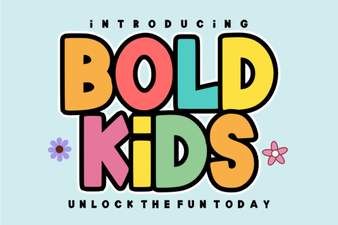 Bold Kids Font – Fun and Playful Display Typeface for Children's Designs
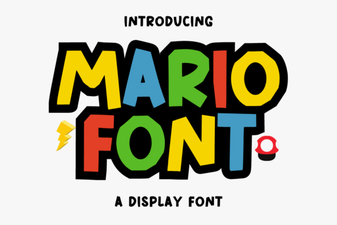 Classic Mario Font Ideas for Creative Design Projects
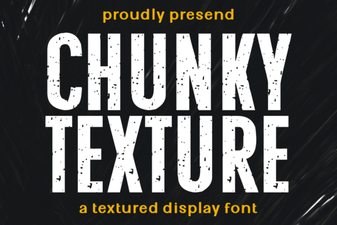 Bold Design Projects Featuring Chunky Texture Font
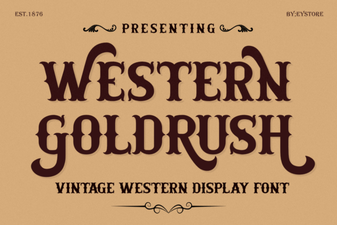 Western Goldrush Font – Bold Western Display Typeface Download
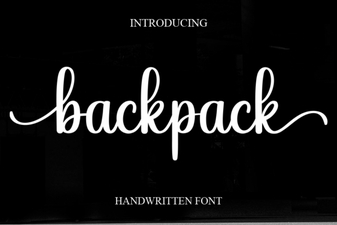 Backpack Font: Bold and Playful Typography for Creative Designs
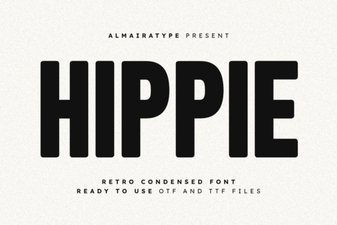 Hippie Font Collection for Groovy Retro Design Projects